

AQS PMS · Pharmacies Management System
Your pharmacy, under control. Online or offline.
Point of sale, batches and expiry, purchasing, accounts and reports in one Windows app at the counter, with each branch's daily figures on the owner's phone.
Windows 64-bit · Arabic and English
- JoFotara built in
- Arabic and English
- Priced in JOD
- Works offline
Inside the app
Every screen your pharmacy runs on
Real screens from AQS with demo data.
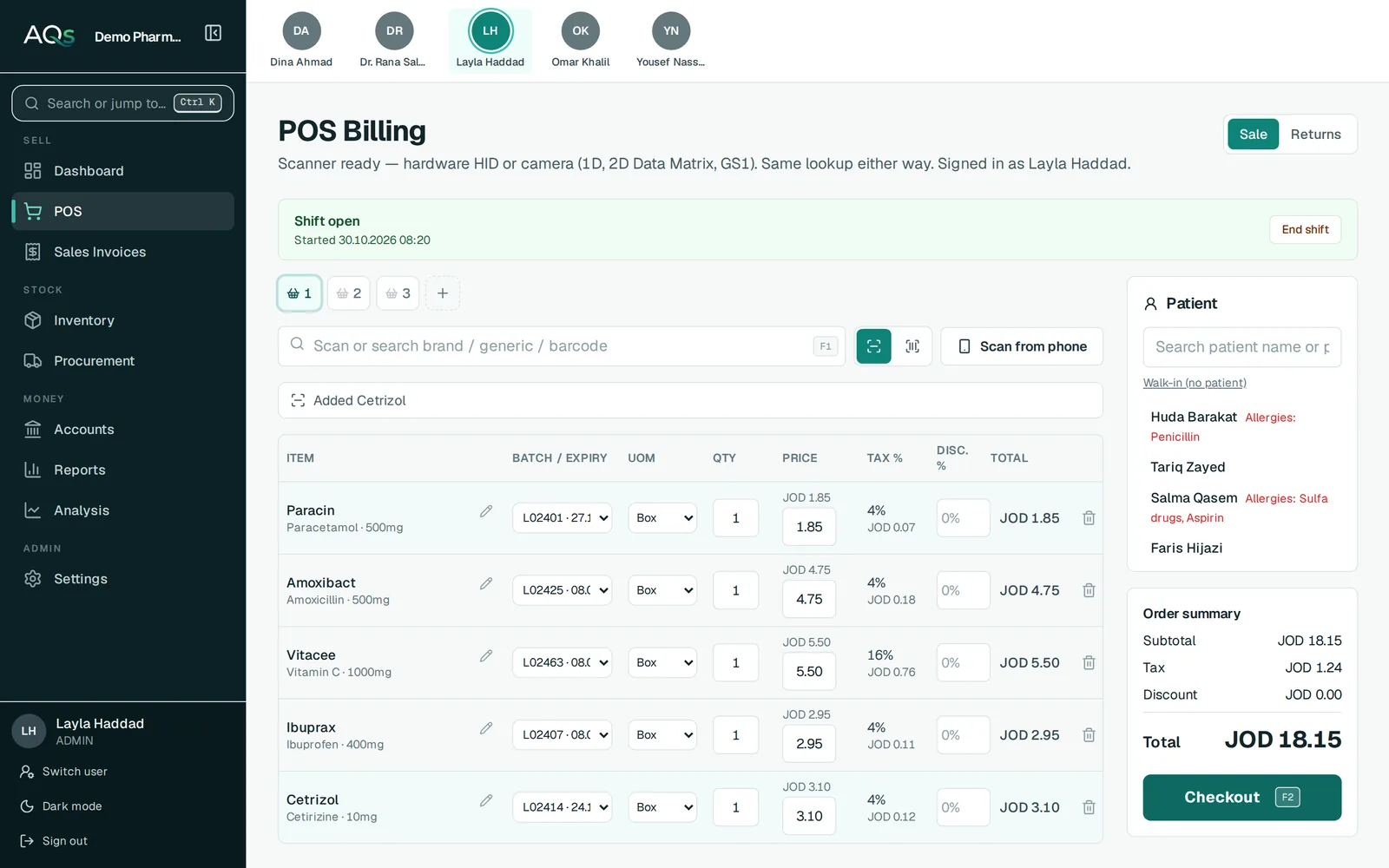
Checkout with safety built in
Scan, take payment and print. Allergy and duplicate-therapy warnings appear before the sale is finished.
- Sell a box or a single tablet
- Up to 9 sales open at once
- Split one sale across cash, card, insurance and customer account
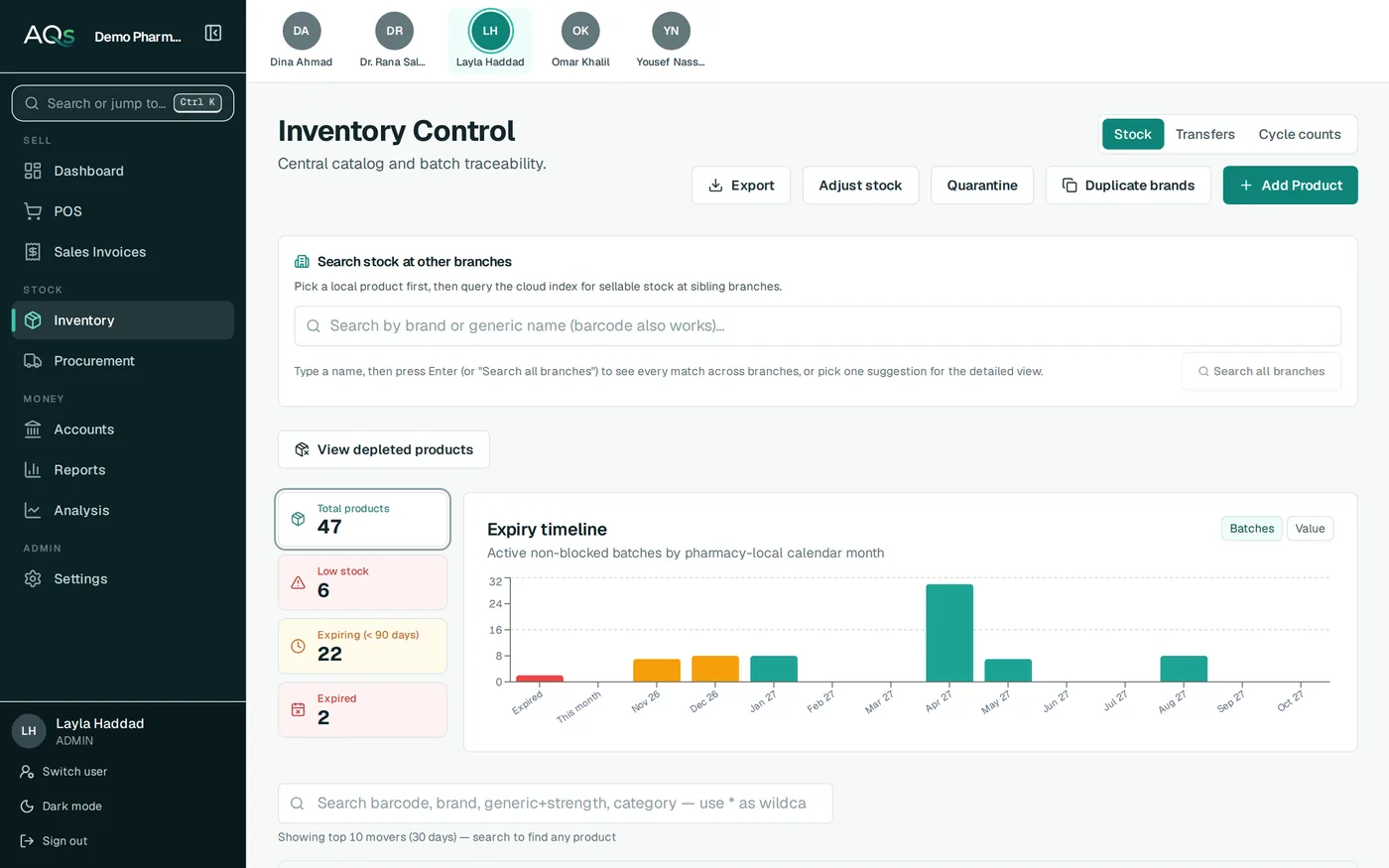
Every batch, every expiry date
Products are marked red, yellow or green by expiry risk, and one click filters to low-stock or expiring items.
- A batch number and expiry date on every lot
- Stock can't go negative
- Quarantine a batch and it drops out of selling
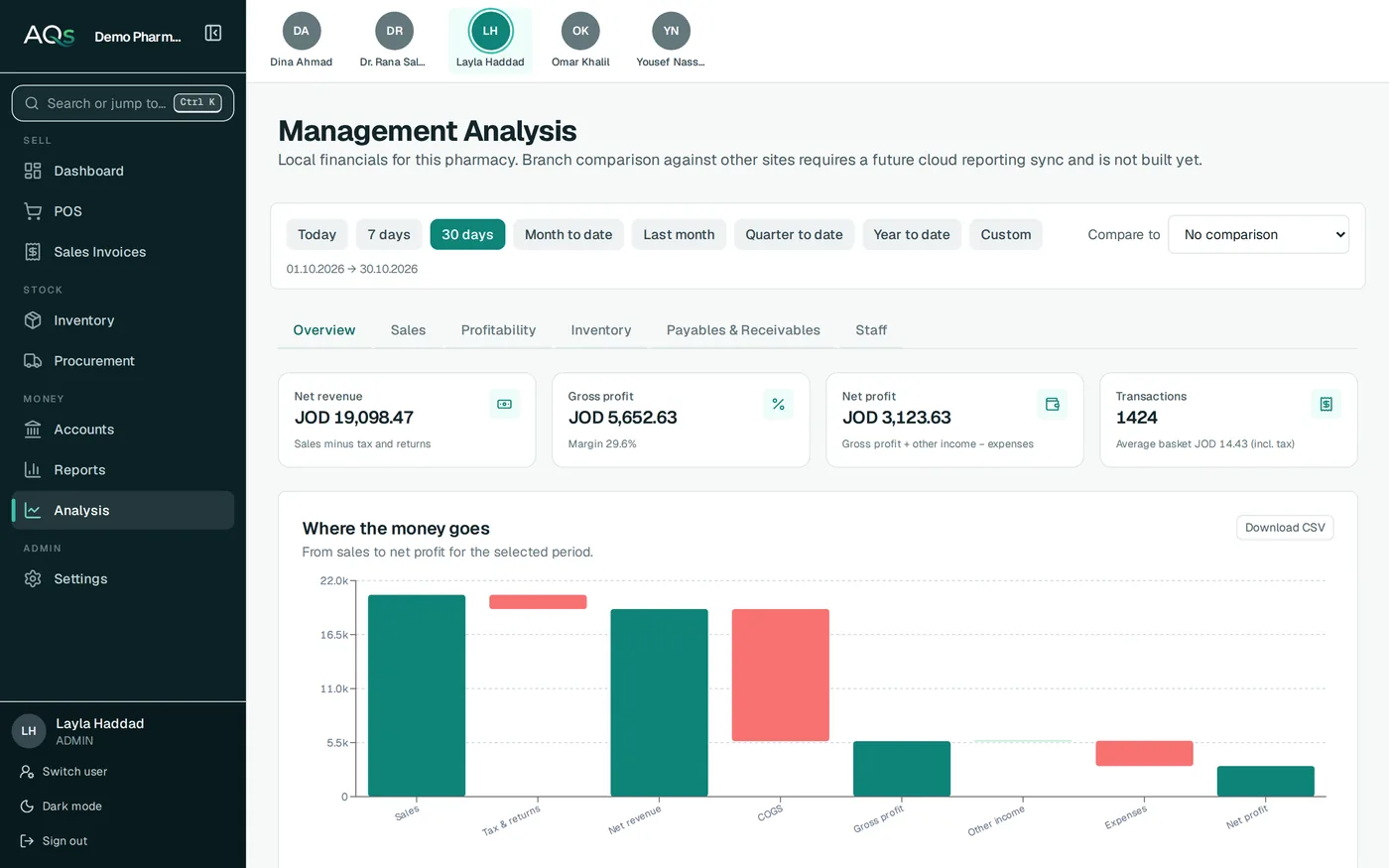
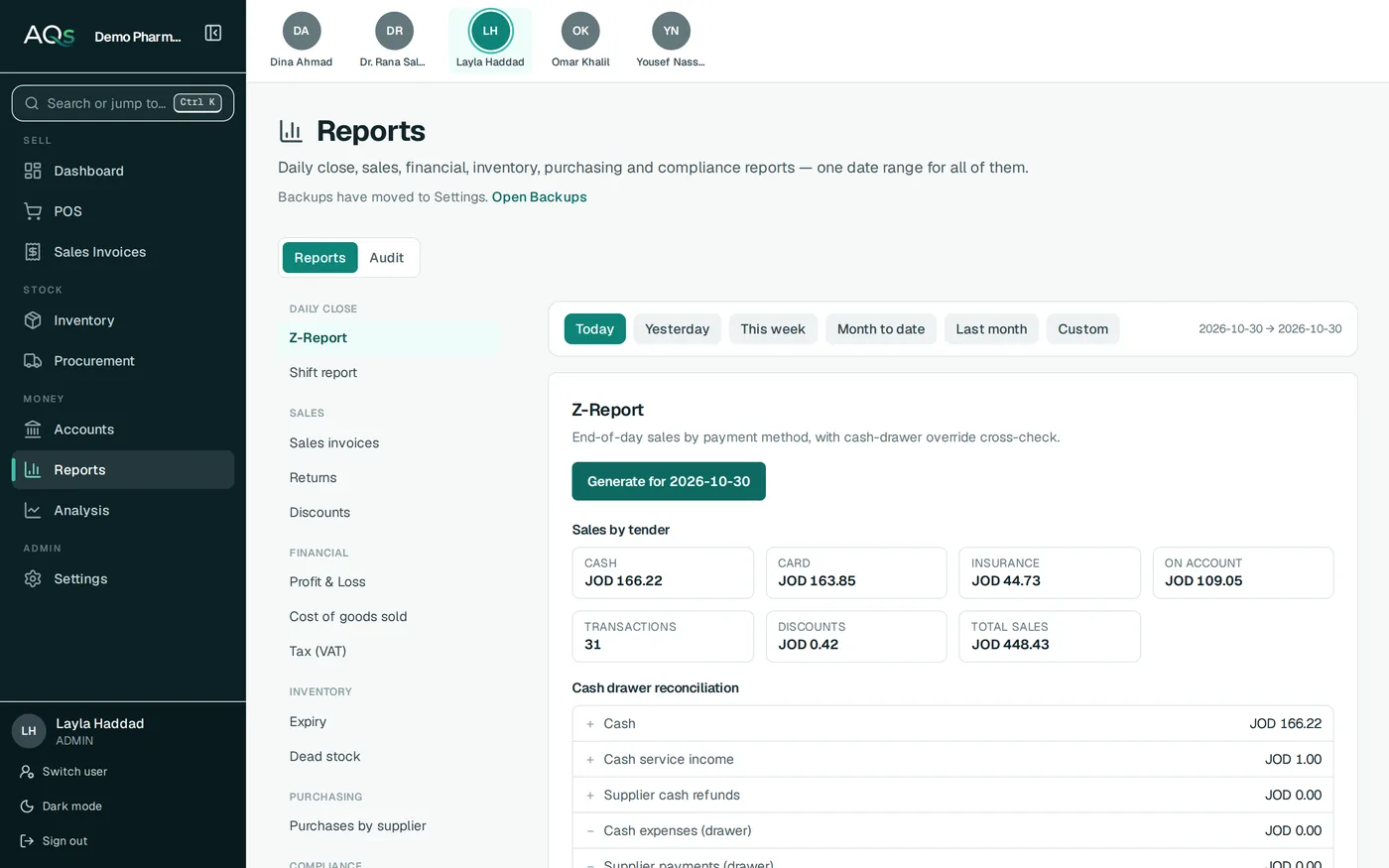
Know where the money goes
Net revenue, gross profit, net profit, COGS and tax for any date range.
- Revenue and profit, month by month
- COGS and gross margin by product
- Daily Z-report with expected drawer cash
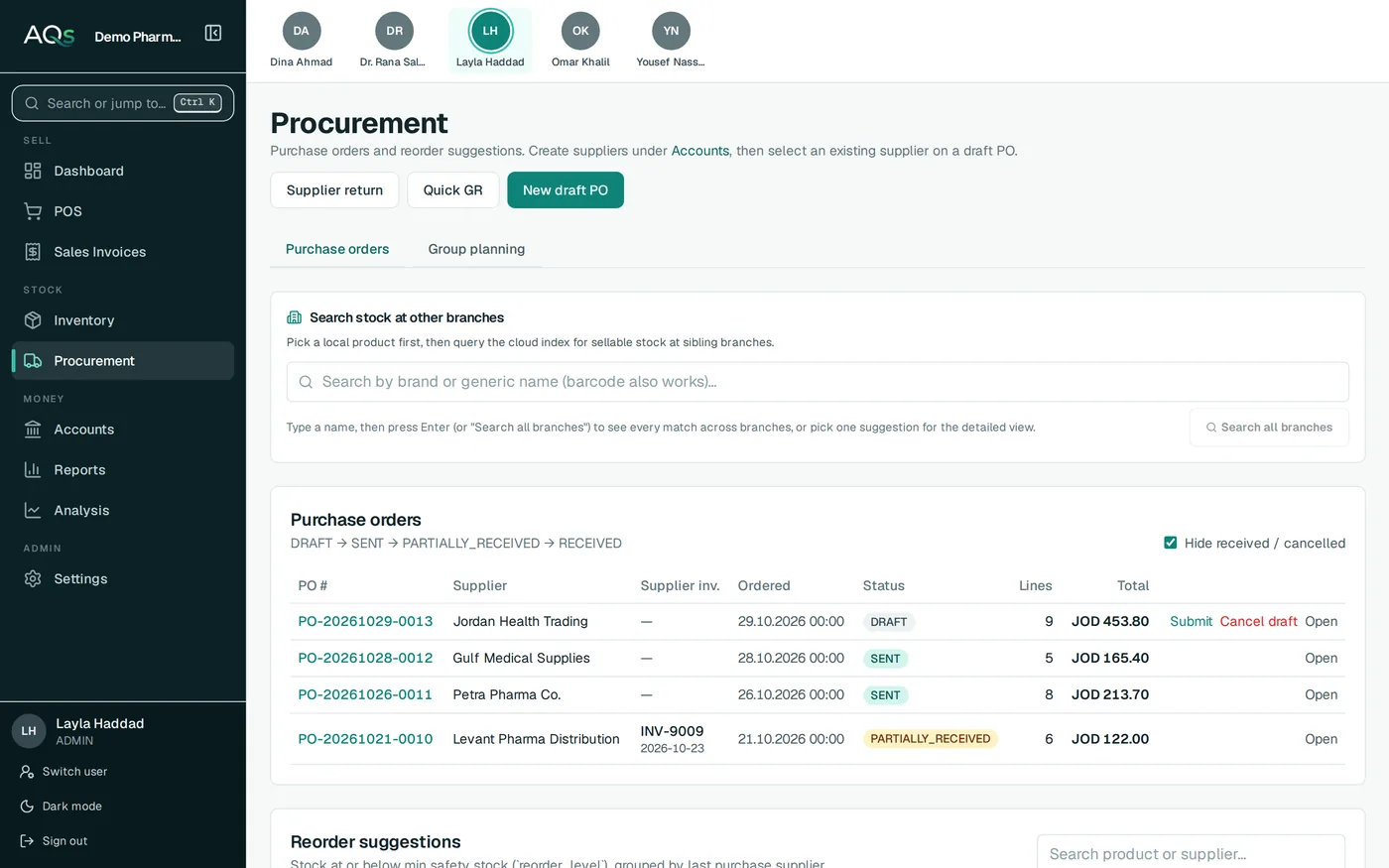
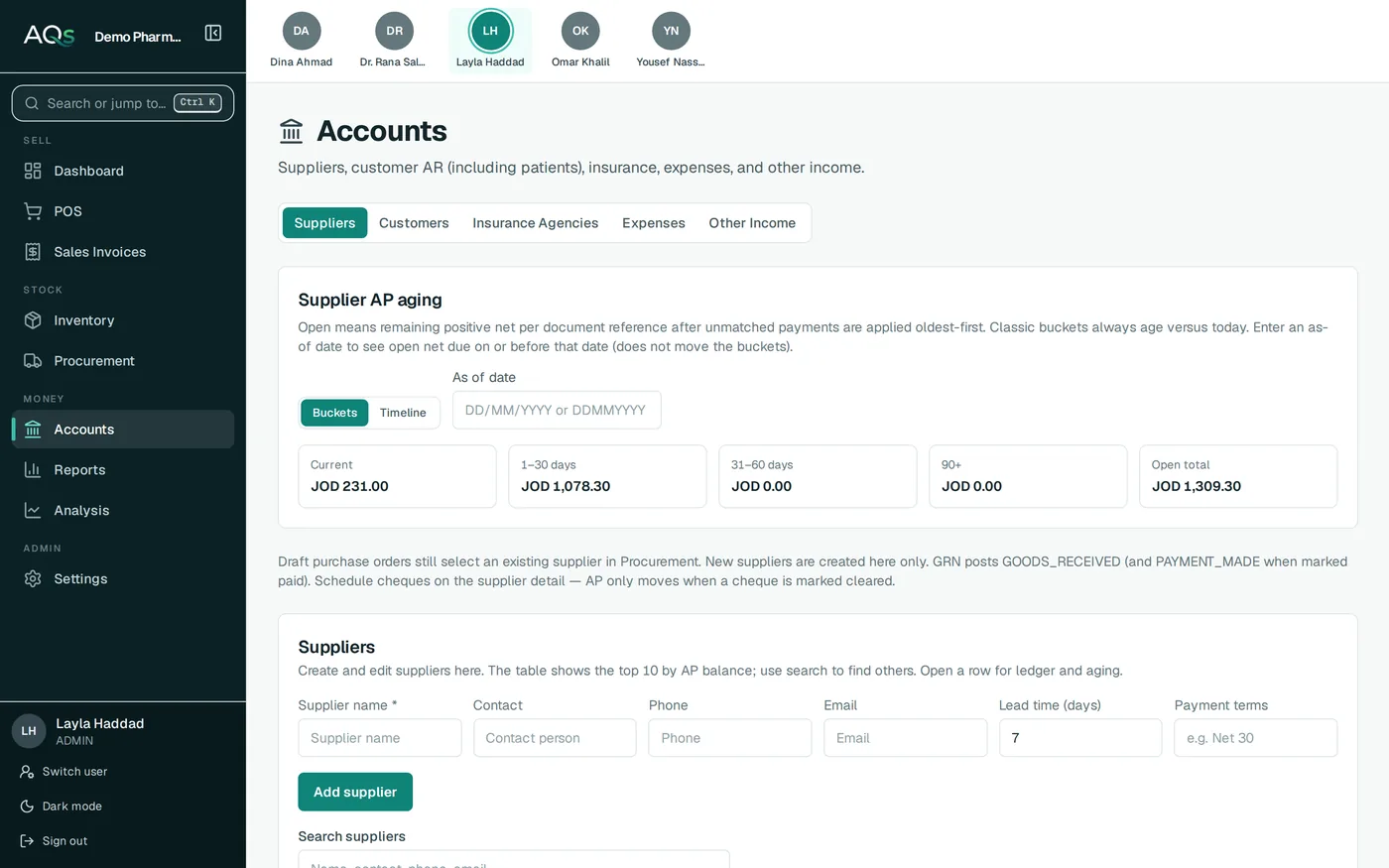
Receive goods without retyping
Purchase orders and goods receipts check batch and expiry on every line.
- Purchase orders from draft to received
- Quick goods receipt when there is no purchase order
- Supplier returns, settled as credit or a cash refund
Every balance, from the ledger
Supplier and customer balances are calculated from ledgers, not typed in.
- Supplier payables with scheduled post-dated cheques
- Customer accounts with credit limits
- Payables aging from current to 90+ days
Reports & summaries
See the pharmacy in charts, not in spreadsheets
Open a screen and the answer is already drawn.
Illustrations with example figures.
What sets it apart
Built for the counter, not the brochure
The things that matter on a busy day, done properly.
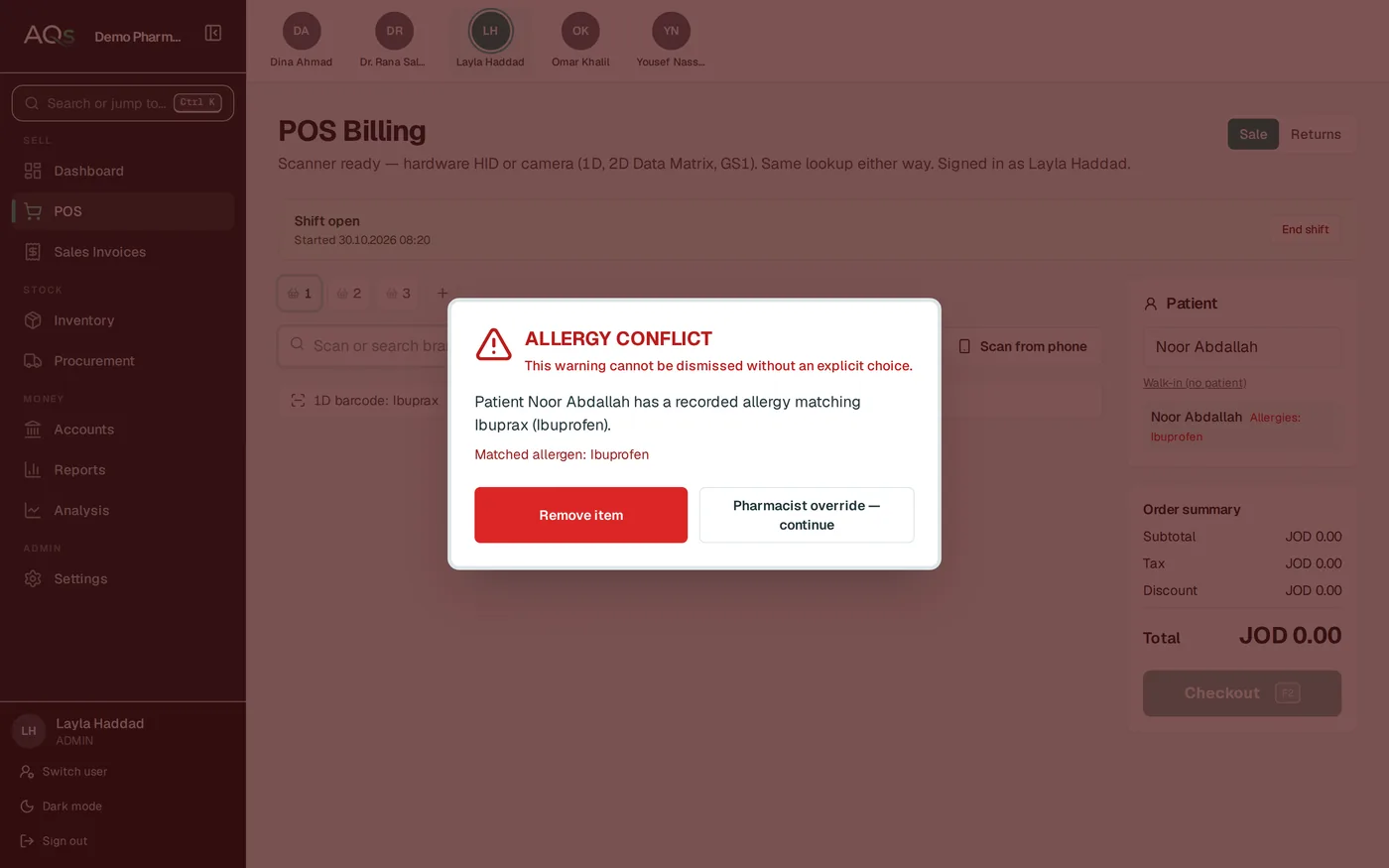
A warning before the sale, not after
If the patient has a recorded allergy that matches an item in the basket, the warning can't simply be closed. Overriding it needs a permission.
Learn more: A warning before the sale, not afterNo internet? Keep selling
The database lives on the counter PC. Cloud steps wait and retry.
Learn more: No internet? Keep selling- Pro plan and up
Count stock with a phone
Open a count from a QR code and count one item at a time with the camera or a scanner.
Learn more: Count stock with a phone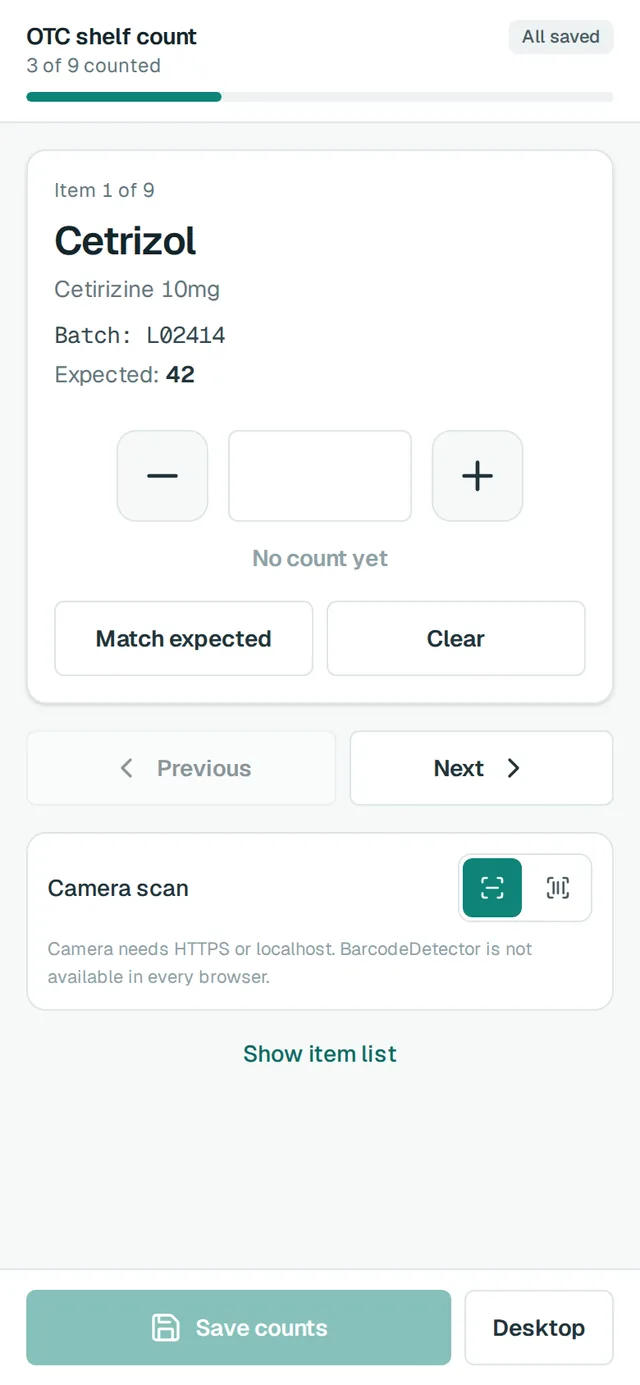
- Advanced plan and up
Every branch, one view
See a sibling branch's stock and nearest expiry, and transfer with the batch and cost intact.
Learn more: Every branch, one view JoFotara after every sale
Sent for clearance automatically, retried if the line drops, with a QR code on the receipt.
Learn more: JoFotara after every sale- Advanced plan and up
AI that drafts, you approve
Photograph a supplier invoice and get a goods-receipt draft. Nothing posts until a person does. Optional, and no patient data is sent.
Learn more: AI that drafts, you approve
New in AQS
Recently added
What the latest versions brought to the counter.
- Batch promotionsDiscount one near-expiry batch; the counter applies it.
- Pro plan and upLoyalty pointsPatients earn points and pay with them.
- Pro plan and upWhatsApp messagesThank-you, points and refill reminders.
- Pro plan and upChronic refillsSee who is due for a refill this week.
- Pro plan and upSales to pharmaciesCost-based prices and a B2B tax invoice.
- Advanced plan and upShared product listOne product master for every branch.
- Pro plan and upQuick countScan, type the total, done.
- Pro plan and upPatient analysisRetention, adherence and sales by insurer.
How it works
The app stays at the counter. The figures reach the owner.
Three parts, each doing one job.
At the counter
The app and its database run on the pharmacy PC. Selling, receiving and counting need no internet.
AQS Cloud
Licence, catalog and settings sync down; daily totals go up every 20 minutes in operating hours. No patient data, invoice lines or staff names leave the pharmacy.
On the owner's phone
Owners and managers sign in with an email link and see each branch's figures.
Cloud sync and the owner dashboard need an internet connection; the counter does not.
Plans for one pharmacy or a group
Each plan adds to the one before.
Free
Everything at the counter: point of sale, inventory with batches and expiry, purchasing, supplier ledger and backups, plus the daily Z-report.
Pro
Adds management analysis, COGS and profit reports, cycle counts, national catalog sync and the owner dashboard on the phone.
Advanced
Adds multi-branch stock lookup and transfers, group planning, the insurance claims ledger and the optional AI features.
Questions pharmacy owners ask
Anything else? Ask us during the demo.
Does AQS work without internet?
Yes. Selling, receiving, counting and reporting run on the pharmacy PC and its local database. Cloud steps such as sync, branch lookup, JoFotara, AI and update checks run when there is a connection and are retried later; they never stop a sale.
Is my data in the cloud?
Your pharmacy's database stays on the pharmacy PC. The cloud receives licence and settings sync and, if the owner dashboard is enabled, aggregated daily totals only: no patient data, invoice lines, barcodes, batch numbers or staff names.
Do I need special hardware?
AQS runs on Windows 64-bit. Any USB or Bluetooth barcode scanner that types the code followed by Enter or Tab works, and receipts print at 80 mm thermal width. Other counter PCs and phones open the app in a browser over your local network.
Does it support JoFotara?
Yes. When AQS enables JoFotara for your pharmacy, each completed sale is sent for clearance, and the sale is always saved first. If the service can't be reached, the invoice waits and is retried every 3 minutes. Cleared invoices print a QR code on the receipt. Anything a person must fix, such as a missing seller tax number, is shown with the reason so you can correct it and resend.
Can I import from my old system?
Yes, from spreadsheets. AQS has importers for products, historical data, goods receipts and the national catalog, and the optional AI sheet fixer can map unfamiliar column headings. If your current system can export to a spreadsheet, bring a sample to the demo and we'll check it with you.
Is it available in Arabic?
Yes. The interface is fully Arabic or English with right-to-left layout, and the whole screen mirrors, sidebar included. You choose one language per installation in Settings → General and it applies to every user. User manuals exist in both languages.
How do updates work?
The app updates through its installer's update mechanism, but a version only downloads when AQS's rollout policy approves it for your pharmacy. You choose Restart now or Later. The app checks at startup and every 6 hours.
Is the AI required?
No. It is an optional add-on on the Advanced plan and is off by default; an administrator has to switch it on and accept a consent notice. It drafts: it reads a supplier invoice into a receipt draft, maps spreadsheet columns, and answers questions about your own figures. A person always presses Post. No patient data is sent, and no AI sits on the checkout path.
See AQS with your own pharmacy in mind
Book a demo and bring your questions, or download the Windows installer and look around.